arm64-v8a · Android 13+ · Apache-2.0
Two apps, one runtime
ENTITY is the assistant. ENTITY Bench is the same three-arm ablation as a standalone tool, so any arm64 phone can reproduce or challenge the findings - and contribute a row to the public dataset.

ENTITY v3.7.1
on-device LLM chat
- file
- ENTITY-v26-review-fixes-20260814-release.apk
- sha-256
- e97ec05fa29f1184db0f5c5fb3430e8db091fa4a80b6d7a62c2f3dc41d1243d8
- requires
- arm64-v8a, Android 13+
Upgrading from v3.6.2 or earlier? every build from v3.7.0 on is signed with a new
certificate, so an in-place update fails with
INSTALL_FAILED_UPDATE_INCOMPATIBLE and you have to uninstall first - which
deletes saved conversations. Export anything you want with SHARE CHAT before you do. A fresh
install is unaffected, and so is an update from v3.7.0 - that build carries the same
certificate as this one. A certificate mismatch normally means a tampered build, so this
is stated here rather than left to surprise you; the reason is
entry 11 on the journey page.
ENTITY Bench v2.2.1
on-device LLM benchmark
- file
- ENTITY-Bench-v2.2.1-release.apk
- sha-256
- 5eaf3db5ae6908626ea3e9bef6d08f587ac181d1109edc796516bc8e1deb9a9d
- requires
- arm64-v8a, Android 13+
Same certificate change as the assistant. Upgrading over v2.1.1 fails and needs an uninstall first, which deletes saved benchmark history - export each result you want to keep to CSV beforehand. A fresh install is unaffected, and so is an update from v2.2.0.
Ninety seconds from clone to chatting
git clone https://github.com/kkjjkamal123/ENTITY---Arm-Create-AI-Optimization-Challenge.git
cd ENTITY---Arm-Create-AI-Optimization-Challenge
adb install -r apk/ENTITY-v26-review-fixes-20260814-release.apk
Then on the phone: pick a model from the in-app catalog or import a GGUF you already
have. Prefer Q4_0 or Q8_0 - the only two types that reach
Arm's KleidiAI kernels (why); the
recommended starting point is
Llama-3.2-1B-Instruct-Q4_0.gguf. Leave Auto on, then open BENCHMARK and run
the ablation unplugged to see power and tokens per watt.
ENTITY - the assistant
- Fully offline chat for runnable GGUF models (Llama 3.2 1B / 3B and others).
- Streaming replies with Stop, Markdown and LaTeX rendering, copy and regenerate.
- Persistent local conversations - restore, rename, switch, delete.
- Auto mode plus manual temperature, top-k, top-p, length, context and threads.
- Live stats bar and seven-series graph: tokens, rate, TTFT, temperature, watts, CPU, memory.
- In-app three-arm benchmark with history, CSV export and core-placement verdict.
- A recommended model for this phone, from a 60 ms probe that needs no model downloaded.
- Model cards report the KleidiAI coverage measured from the file's own tensor table.
- Long-press any reply for its token accounting: prompt read, tokens written, both rates.
Before you download
The catalog spans seven vendors and 0.36B to 7B. Each entry is judged against memory the phone reports free right now - not installed RAM, which counts capacity already spent on everything else open - and, once the probe has run, carries an estimated generation rate and time to first token. The reasoning is on the optimizations page.
What the file actually contains
A GGUF named Q4_0 is not uniformly Q4_0. ENTITY parses the tensor table and reports the fraction of weights that reach Arm's kernels, naming the largest tensor that does not - on the reference Llama-3.2-1B-Q4_0 that is 76%, and the missing quarter includes the output projection.
What that answer cost
Prompt and generated tokens are reported apart, never as one rate. They are produced by different regimes - the prompt goes through in batches and is compute-bound, each generated token re-reads every weight and is bandwidth-bound. Averaging them is why speed claims about local models are so often incomparable. Timings cover model execution only, so a slow redraw cannot pass as a slow model.
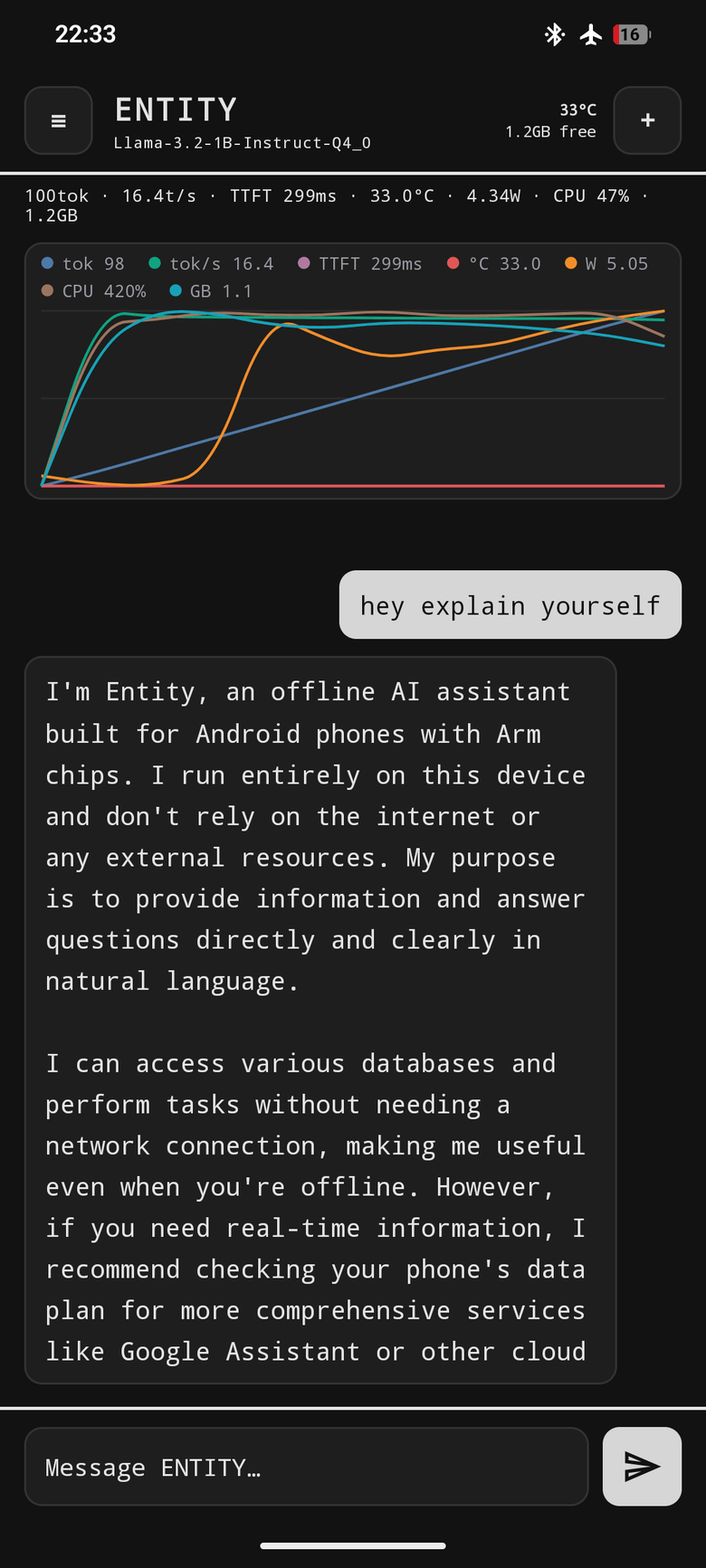
ENTITY chat - 1 / 9
Live metrics while it generates
100 tok - 16.4 t/s - TTFT 299 ms - 33.0C - 4.34 W - CPU 47% - 1.2 GB, plus the selectable colour graph, the one colour surface in the app.
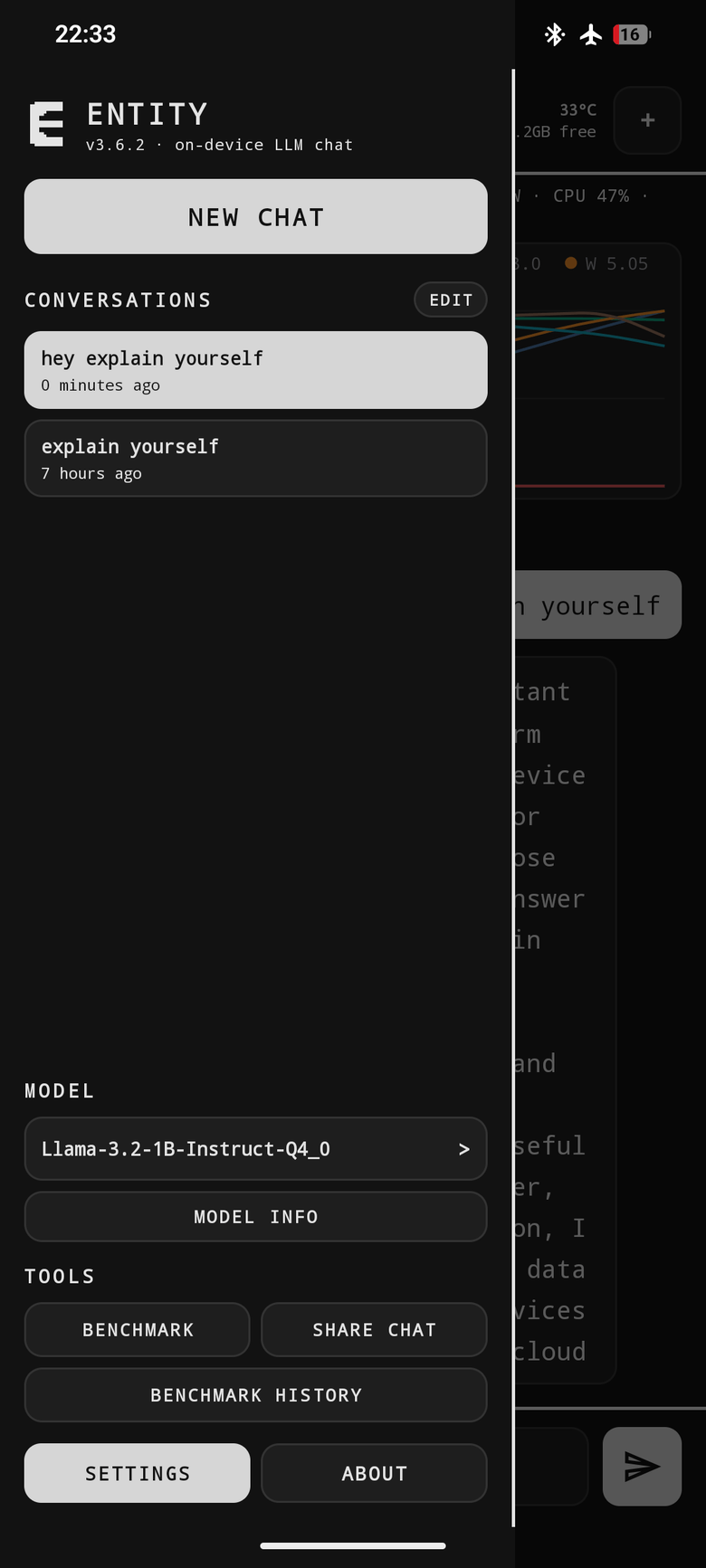
ENTITY chat - 2 / 9
One drawer, everything
v3.6.2, conversation history, model selector, BENCHMARK / SHARE CHAT / BENCHMARK HISTORY, SETTINGS and ABOUT.
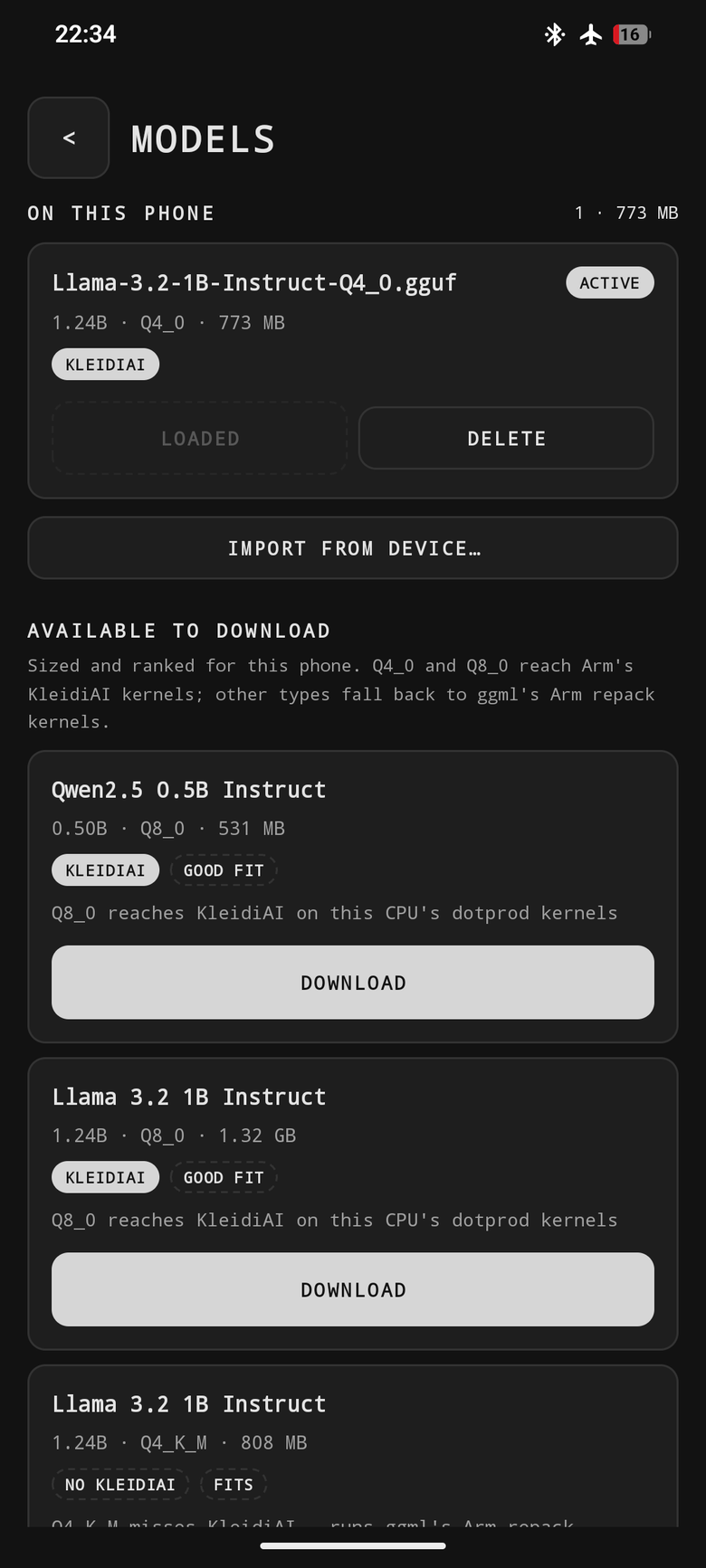
ENTITY chat - 3 / 9
A catalog sized to your phone
On-device files plus a catalog ranked for this SoC, with KLEIDIAI / NO KLEIDIAI and GOOD FIT / FITS chips per row.
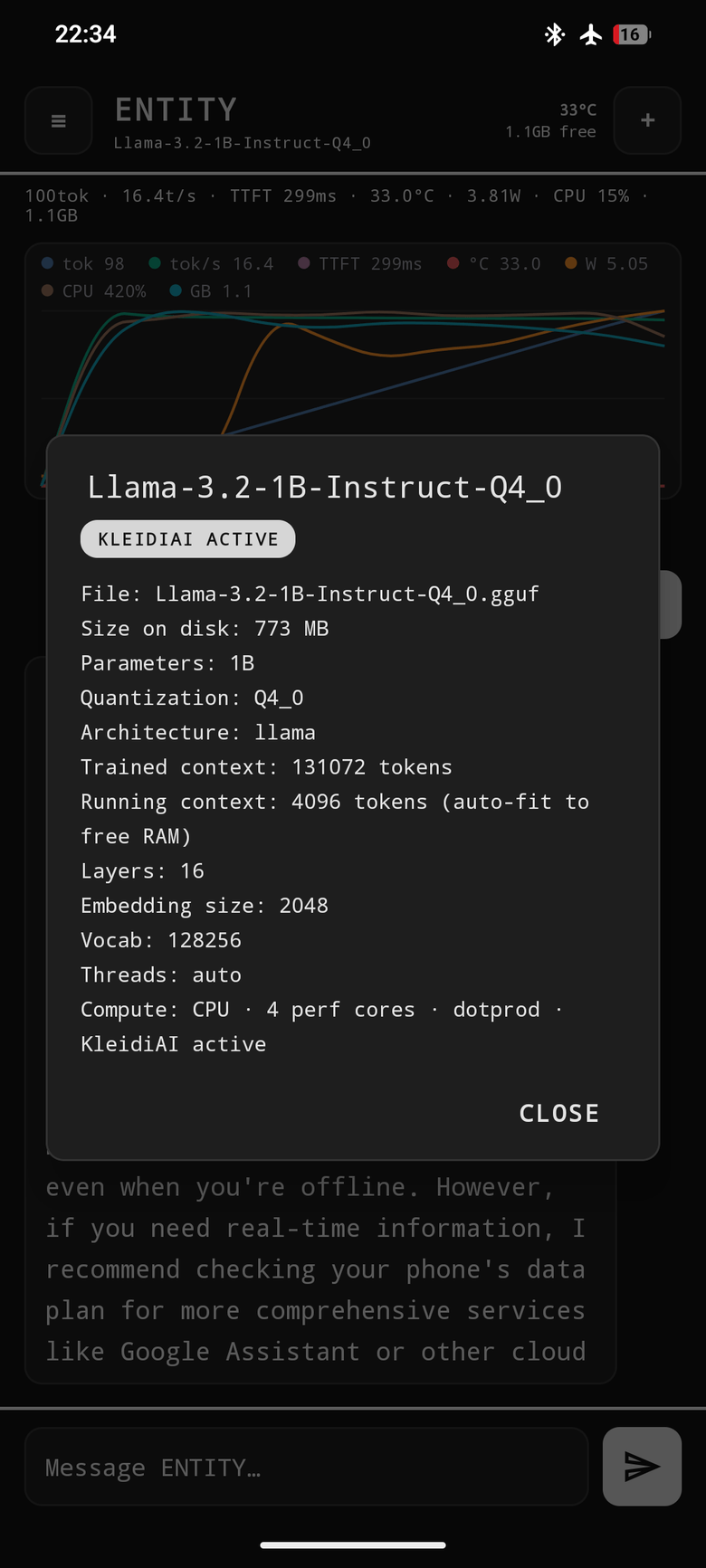
ENTITY chat - 4 / 9
The full model readout
KLEIDIAI ACTIVE - Q4_0, 773 MB, trained context 131,072, running context 4096 auto-fit to free RAM. Compute: CPU, 4 perf cores, dotprod, KleidiAI active.
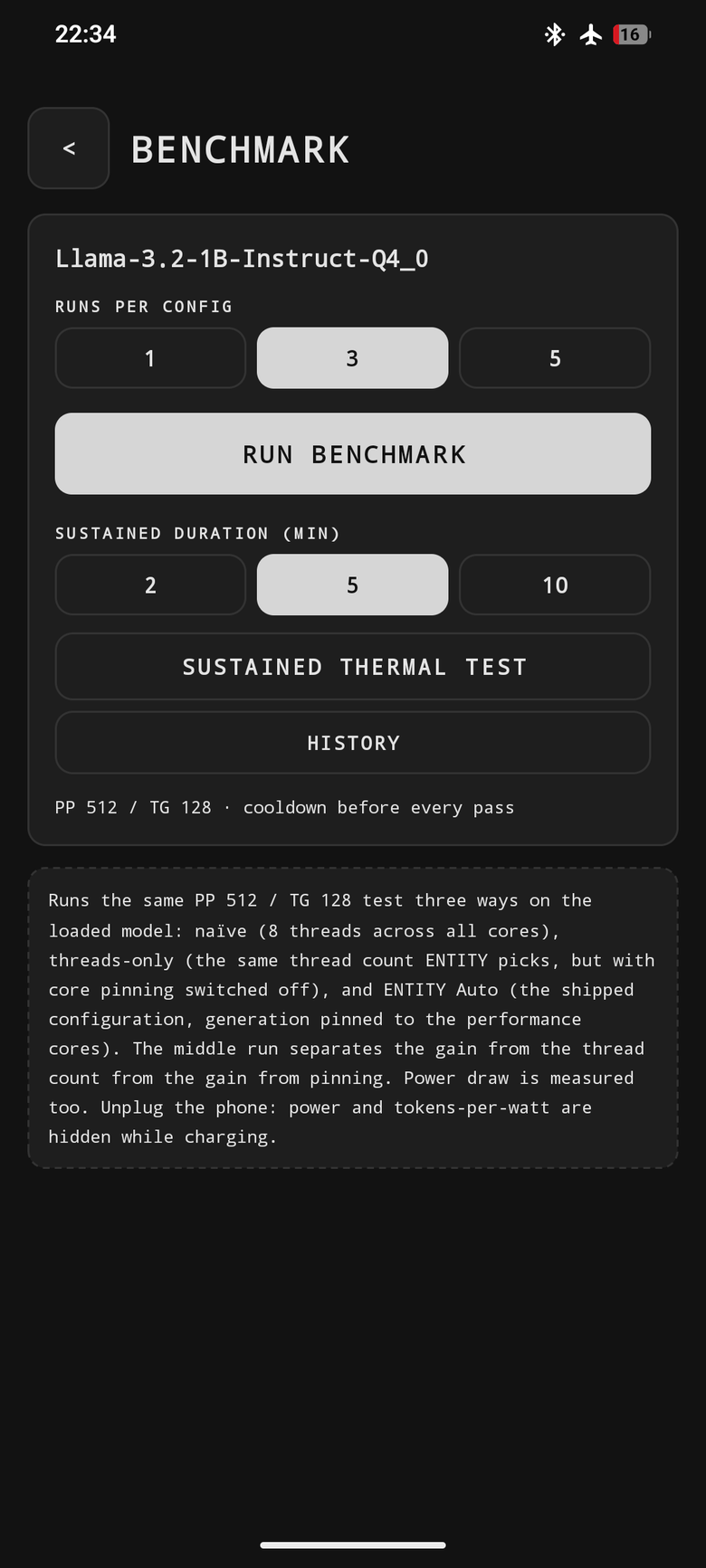
ENTITY chat - 5 / 9
Benchmark from inside chat
Runs per config, sustained thermal test, PP 512 / TG 128, and a cooldown before every pass.
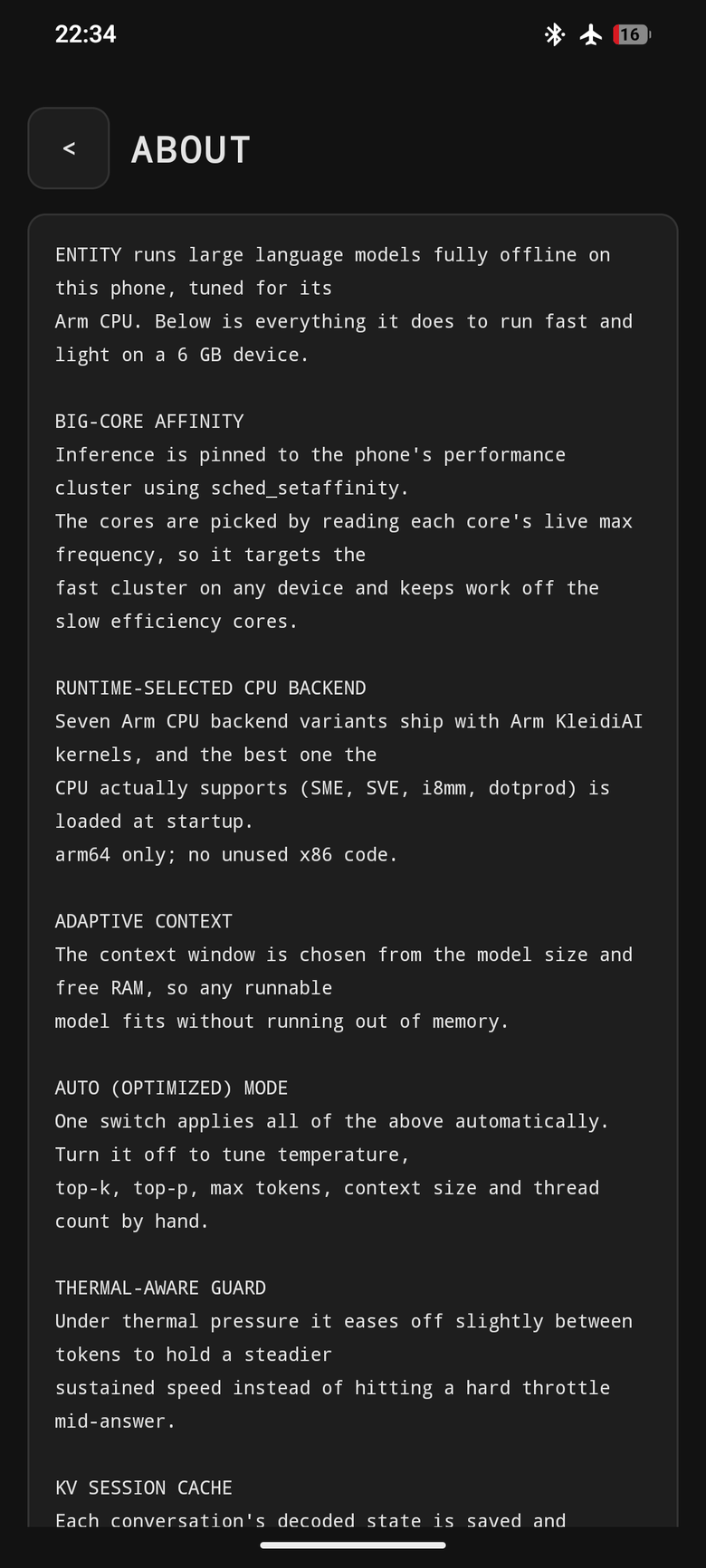
ENTITY chat - 6 / 9
The runtime, in its own words
BIG-CORE AFFINITY, RUNTIME-SELECTED CPU BACKEND, ADAPTIVE CONTEXT, AUTO MODE, THERMAL-AWARE GUARD, KV SESSION CACHE.
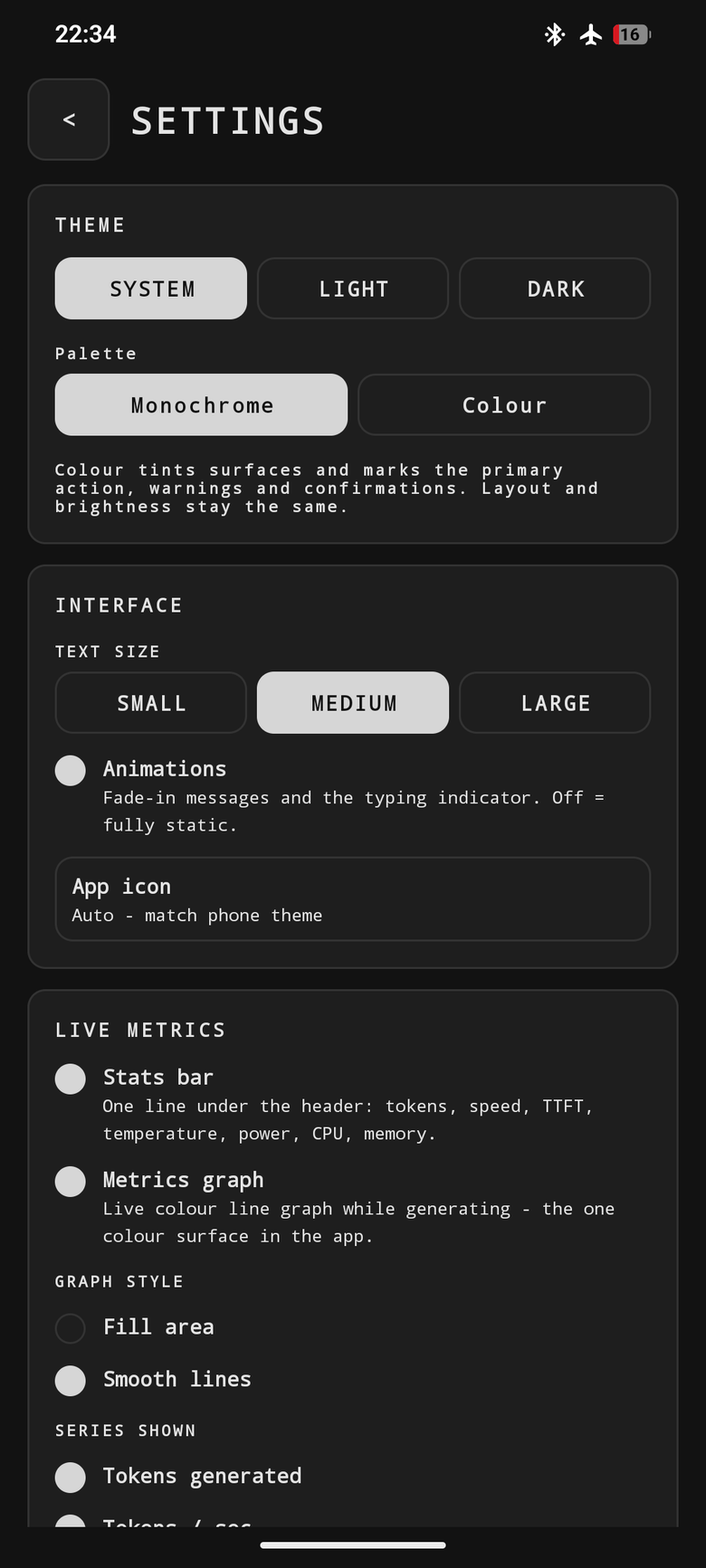
ENTITY chat - 7 / 9
Yours to theme
Theme (System / Light / Dark), Monochrome / Colour palette, text size, and which live-metric series the graph draws.
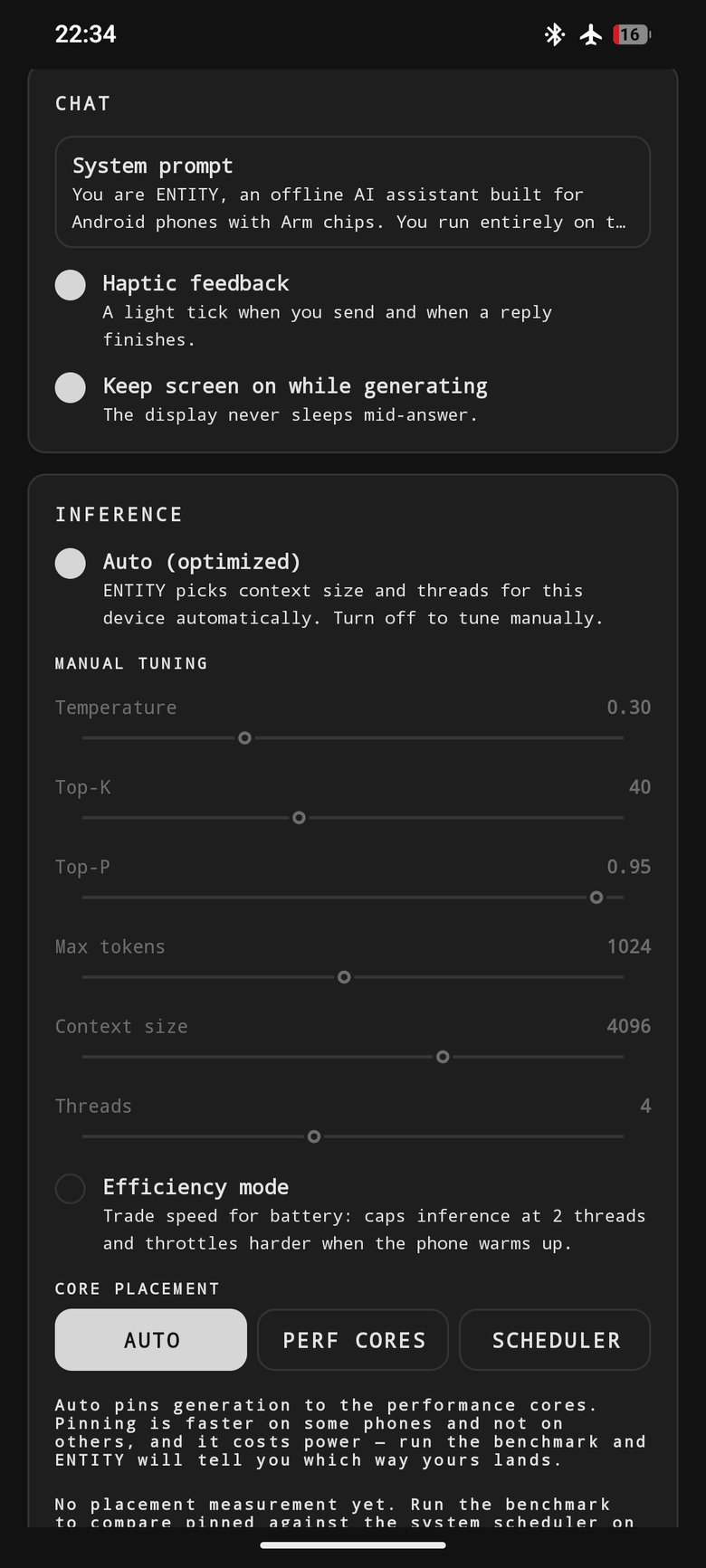
ENTITY chat - 8 / 9
Auto, or exactly your way
Auto (optimized) plus manual sliders, Efficiency mode, and CORE PLACEMENT: AUTO / PERF CORES / SCHEDULER - pinning is a setting, not an assumption.
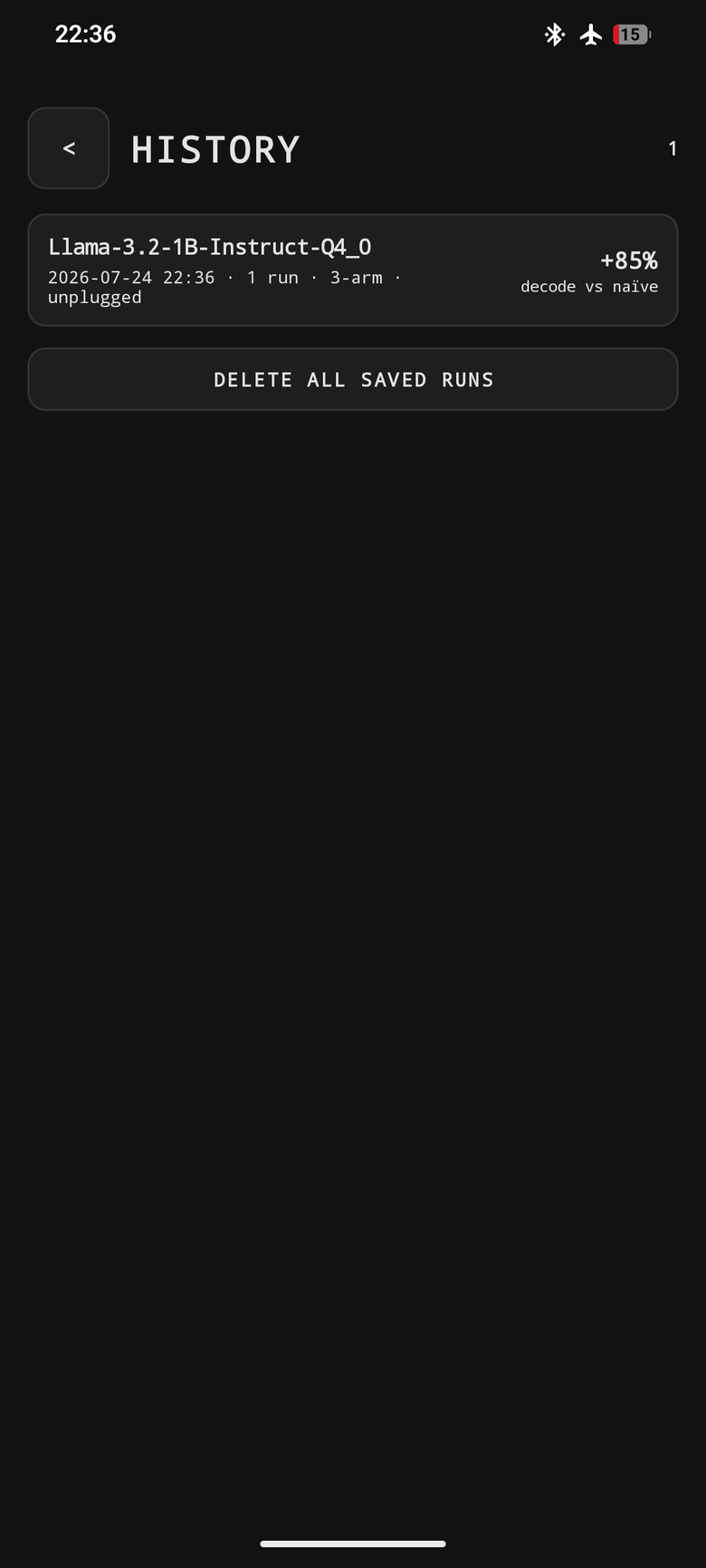
ENTITY chat - 9 / 9
Every run, kept on-device
Benchmark history saved locally: +85% decode vs naive, 1 run, 3-arm, unplugged.
ENTITY Bench - the experiment, standalone
No chat. Import a model, run the ablation, get an attributed result: naive, threads-only, auto - plus the optional efficiency-core arm, SUSTAINED mode (who throttles first once the SoC is hot) and SWEEP mode (every thread width, pinned and scheduler-placed).
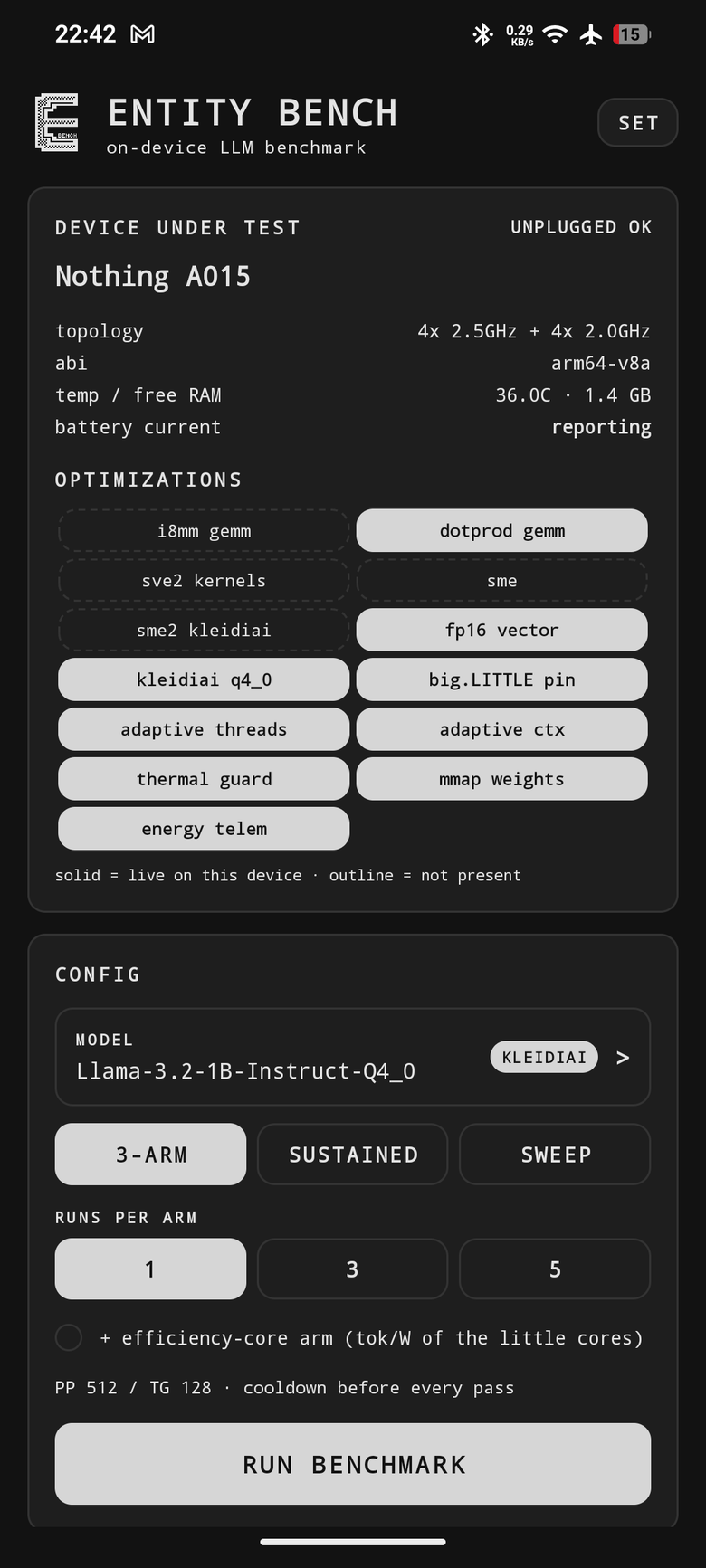
ENTITY Bench - 1 / 5
Know the device under test
Nothing A015, 4x 2.5GHz + 4x 2.0GHz, UNPLUGGED OK - with the optimization grid: solid = live on this device, outline = not present.
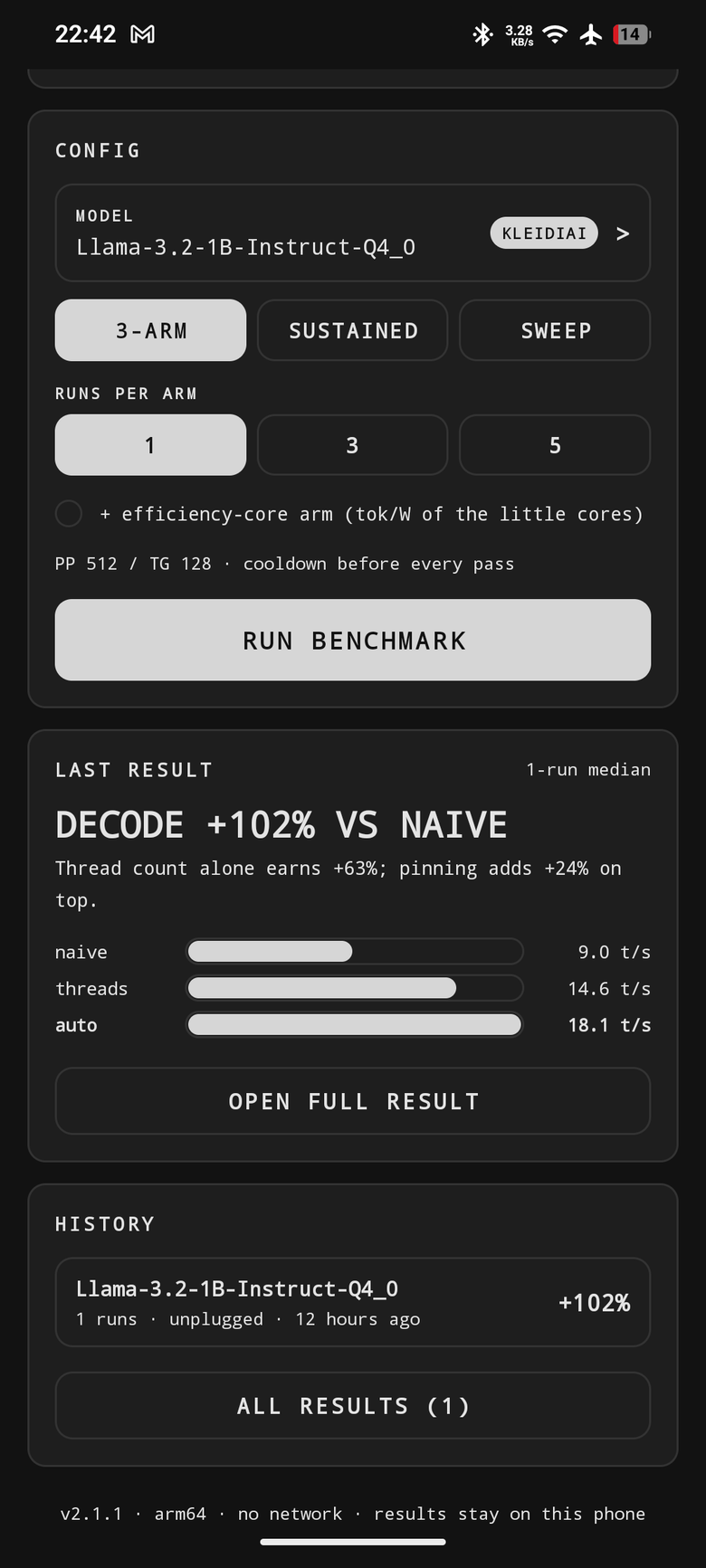
ENTITY Bench - 2 / 5
Configure, then attribute
3-ARM / SUSTAINED / SWEEP, runs per arm, DECODE +102% VS NAIVE - one run, single-pass and provisional under the leaderboard's own rules. Footer: v2.1.1, arm64, no network, results stay on this phone.
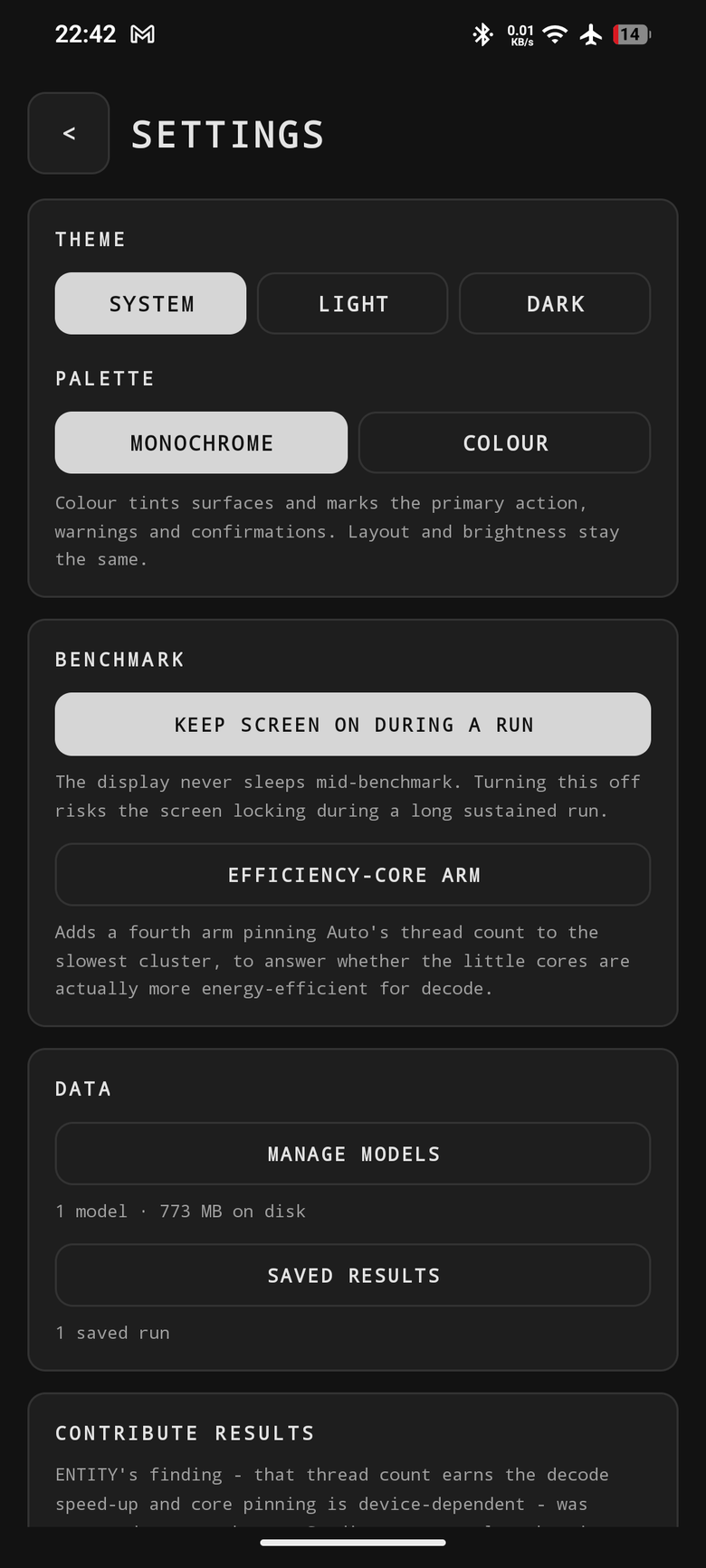
ENTITY Bench - 3 / 5
Control the run
Theme, palette, keep screen on during a run, the optional efficiency-core arm, plus model and result management.
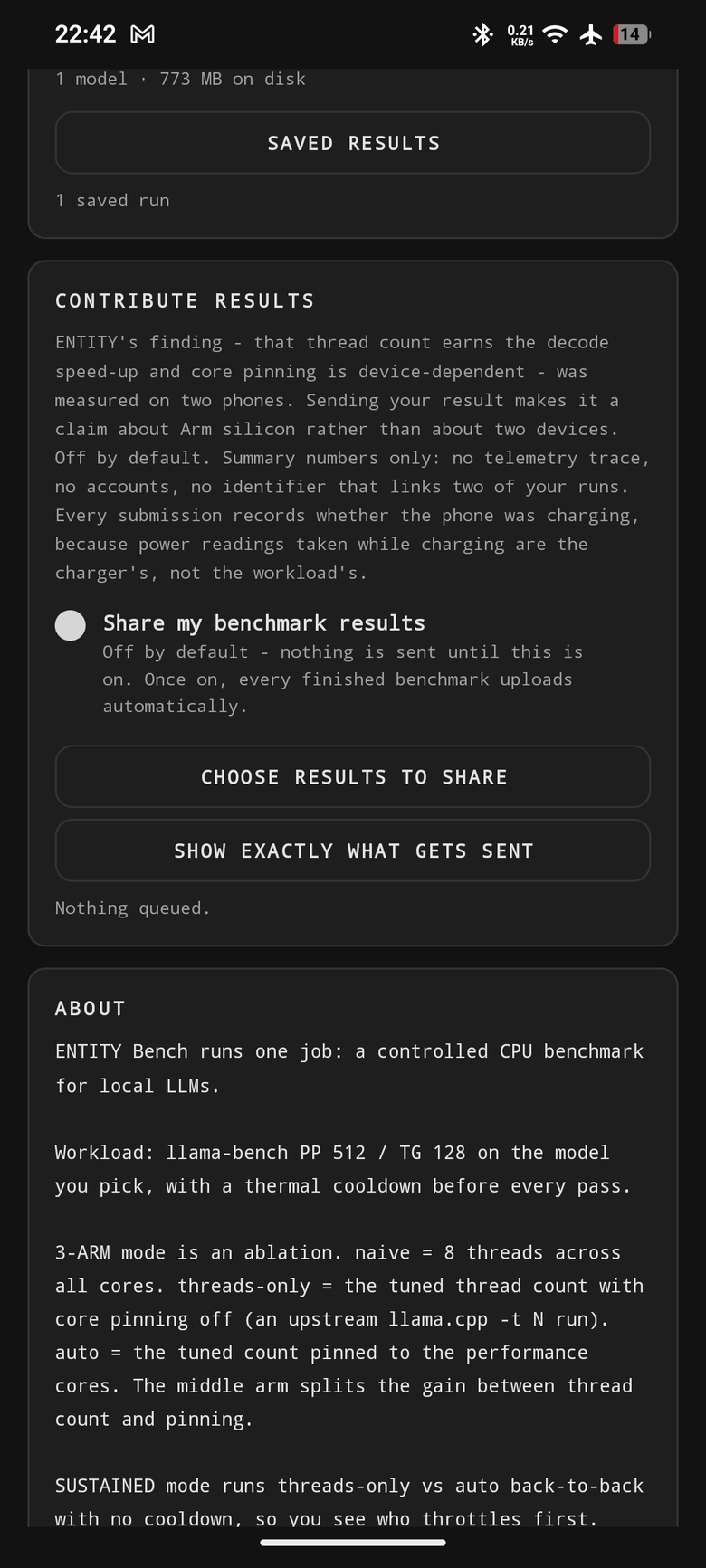
ENTITY Bench - 4 / 5
Contribute, on your terms
Off by default, summary numbers only, no accounts, no identifier linking two runs - with SHOW EXACTLY WHAT GETS SENT before the first upload.
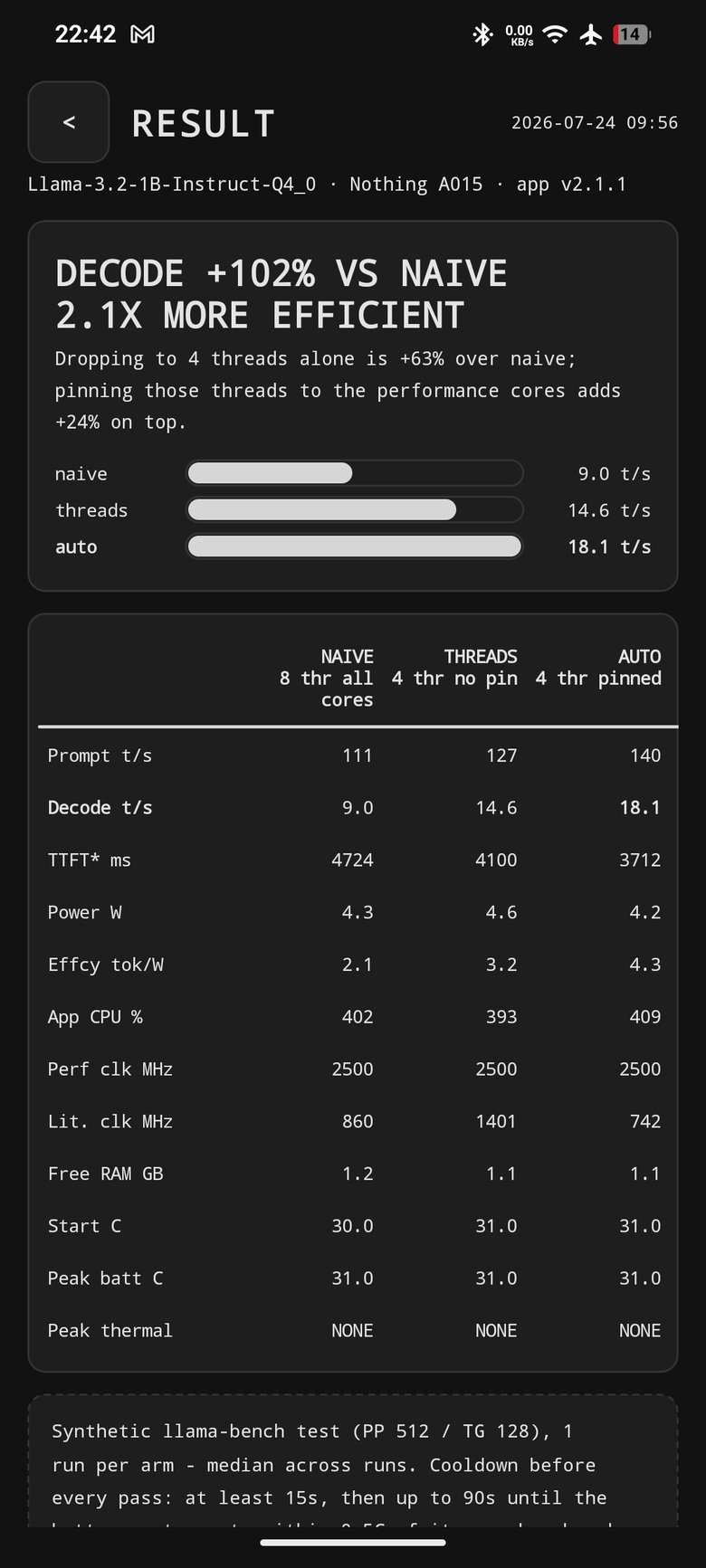
ENTITY Bench - 5 / 5
The whole result, per arm
Prompt 111/127/140, decode 9.0/14.6/18.1, TTFT 4724/4100/3712 ms, power 4.3/4.6/4.2 W, tok/W 2.1/3.2/4.3, with clocks, free RAM and thermal state.
Sources and build instructions: the repository · contribute a row: the leaderboard.